
Threads and motions
Everything starts as a thread: a private one-to-one conversation with Monnet about an idea. No document, no plan, nobody else in the room. A thread becomes a motion when Monnet writes its document. During web onboarding, you first get a review in the Get started with Monnet thread, then click Write spec to create a draft document and plan. Naming a thread doesn’t convert it, and nothing is copied or re-created when it happens. It’s the same object, further along.Say “thread” while it’s still a conversation, “motion” once it has a document. Mixing the two confuses who can see what.
The motion lifecycle
When you give Monnet a motion, it works through three phases with your team: gather input, align, and take action. These phases blend together. Monnet uses tools throughout: messaging individuals, posting comments, prompting agents, updating the motion, or requesting approval.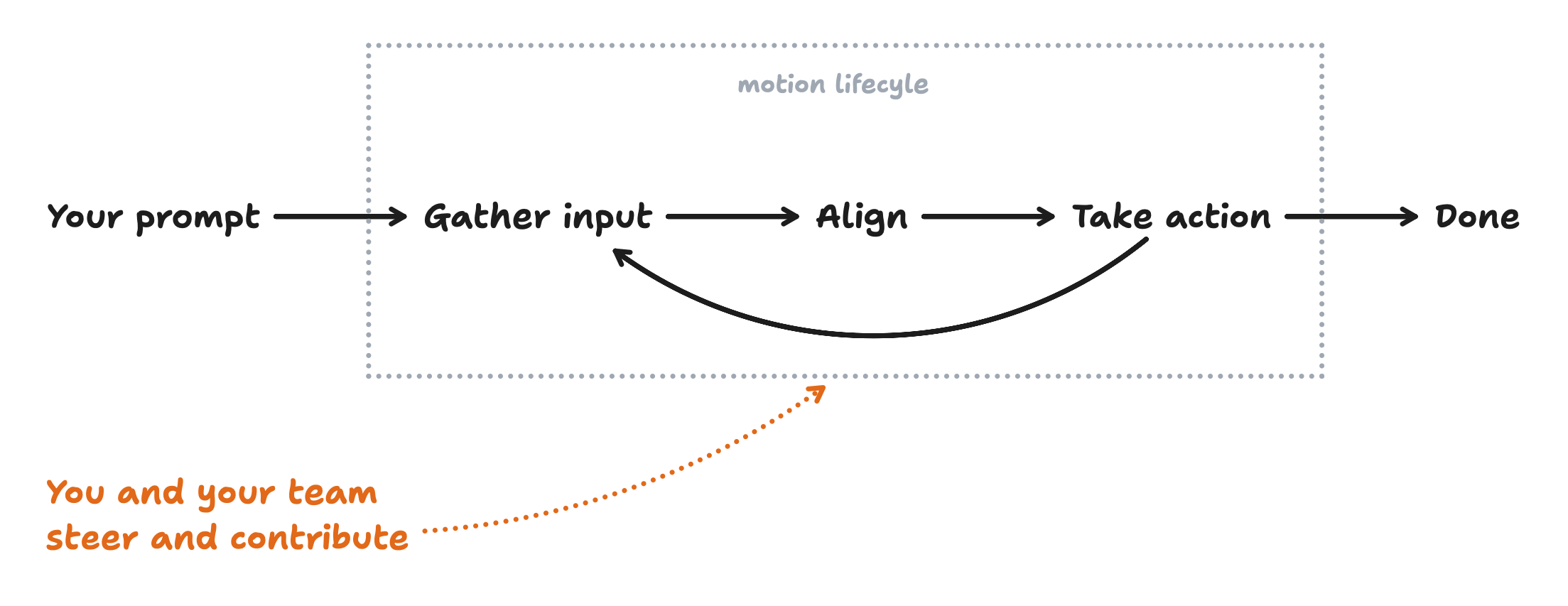
The team
A team in Monnet is humans and agents. Humans hold a workspace role — Owner / Admin / Member — and a per-motion role, Editor or Commenter. See the permission tables. Someone invited to a single motion from outside the workspace is a guest. They participate in that motion as a commenter and see nothing else: not your other motions, not your team’s company brain. Agents are AI teammates. They appear in your team list, get assigned to plan steps, and report back on the motion. You add one through a connector; today that’s a Local Runner driving Claude Code or Codex on your own machine. See Agents.What Monnet remembers
Three layers, each a living summary rather than an append-only log — on every update Monnet prunes before adding, merges what overlaps, and drops what matters least.
Policies live on a page in the company brain named after your workspace. It’s the brief a new teammate — human or agent — would need to be productive:
Tools
Tools are what make Monnet capable of coordination. Without them, a language model can only answer with text. With them, Monnet can read, write, message, and delegate.
Which tools Monnet has depends on the situation: some exist only in a private one-to-one, some only on an open motion, and the workspace-wide ones disappear entirely when Monnet is acting for a guest.
Playbooks
Playbooks are reusable instructions telling Monnet how to draft and coordinate a particular kind of motion. Three ship with every workspace — decision (the default for anything open-ended), bug-fix, and new-feature — and you can write your own. See Workspace — Playbooks.Where Monnet lives
Slack, Microsoft Teams, email, coding agents (through the MCP server), and the web app, under four rules:- Monnet responds where it was invoked. A Slack message gets a Slack reply.
- The web app is the source of truth. Every channel’s messages mirror onto the motion there.
- An @mention reaches you wherever you are — Slack first, then Teams, then email.
- For private messages it starts itself, Monnet considers your channel preference on your Brain profile. @mentions and replies follow the rules above.