
Open the inbox
The inbox is the default page when you sign in. You can get back to it anytime by clicking the Inbox icon at the top of the sidebar.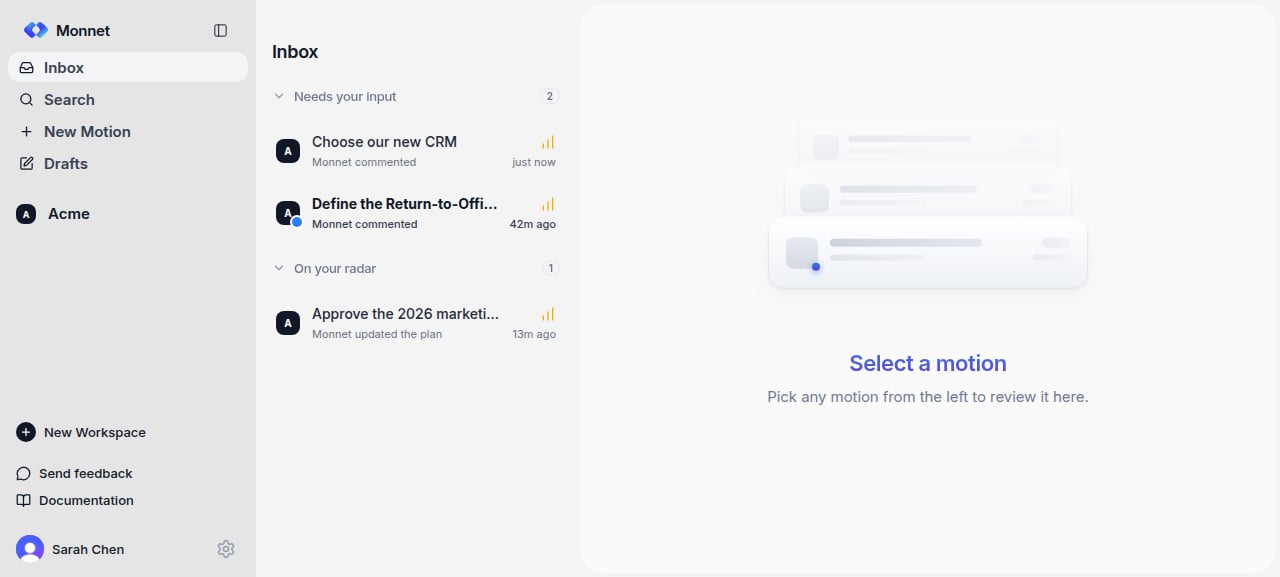
Read the feed
The inbox groups items that involve you into two buckets, so the things that need an action sit above the things you’re only following:- Needs your input — work waiting on you, such as an assigned plan step, an approval or decision, a draft you’re authoring, or a direct @mention in a shared thread or motion comment. Start here.
- On your radar — work you’re involved in that doesn’t need a response from you right now, such as a motion with someone else’s next step or a mention you’ve replied to.
- The workspace name and logo, and, for motions, the motion number (e.g.,
Acme / #42). - The thread or motion title.
- For motions, the status — Draft / Open / Closed.
- The priority — colored dot for Critical / Normal / Low.
- A short activity summary with timestamp (e.g., “Sarah approved step 2 · 2h ago”).
- Editor avatars — the first three, with a
+Nbadge for the rest. - A left border accent if the item is unread.
Dismiss a motion from the feed
If a motion is cluttering your feed and you don’t want to act on it, hover over it and click the X on the right. The motion is archived from your feed — it’s not deleted from the workspace, and you can still access it from the workspace’s motion list.The rest of the sidebar
Below the main navigation — New, Inbox, Search, Drafts, Motions, Brain — the sidebar keeps three sections:- Starred — threads, motions, and brain pages you’ve pinned. Yours alone, reorderable by dragging, and hidden when empty. Star anything from the actions in its top-right corner.
- Recents — what you touched lately. A starred item doesn’t also appear here; unstar it and it becomes eligible again.
- Shared with you — motions from workspaces you’re not a member of, usually ones you joined as a guest. Click to open; click Leave motion (with confirmation) if you no longer want to be on it.